Most delivery risk in data science does not come from algorithms. It comes from uncertainty. Uncertainty about which version was trained, what data it saw, which parameters were used, and whether the result can be reproduced.
You can build a technically strong model and still fail operationally if the process behind it is fragile.
This is where MLflow becomes essential.
The problem experiment tracking actually solves
In many teams, experimentation evolves informally. A feature is added. A parameter is adjusted. Performance improves. But what changed?
Without structured tracking, improvements are anecdotal. Results cannot be reliably compared. Deployment decisions rely on memory rather than evidence.
MLflow introduces structure:
- Every training event is logged as a run
- Parameters and metrics are recorded consistently
- Artifacts are stored alongside results
- Models are versioned before deployment
The interface is helpful. The discipline is what matters.
Log what makes a model reproducible
Metrics alone are not enough. A run should allow someone else to reconstruct the training logic without asking you.
A minimal but disciplined logging structure looks like this:
| Category | What to Log | Why It Matters |
|---|---|---|
| Tags | Data version, environment, experiment purpose, owner | Enables filtering, comparison, and governance |
| Parameters | Training window, validation strategy, hyperparameters | Defines model behaviour |
| Metrics | Validation metrics aligned to decision criteria | Enables objective comparison |
| Artifacts | Feature list, config files, validation plots, confusion matrices | Allows reconstruction |
| Feature Importance | Importance rankings or SHAP summaries | Supports interpretability and review |
Versioning introduces control
Tracking experiments creates visibility. Versioning creates governance.
MLflow’s Model Registry separates experimentation from deployment. A model can be evaluated and compared before it is promoted. This prevents silent swaps and undocumented retraining.
In production environments, you must be able to answer:
- Which version is deployed?
- What data was used to train it?
- What validation justified promotion?
Without versioning, those answers become approximate.
A disciplined workflow
A practical workflow is straightforward:
- Define the experiment context clearly.
- Log parameters before training.
- Train and log metrics consistently.
- Store supporting artifacts.
- Register and promote only after validation review.
Over time, this creates an auditable history of how the system evolved.
Why this matters
Models rarely fail because they are mathematically weak. They fail because the system around them is inconsistent. They fail because results cannot be reproduced.
MLflow does not make modelling more sophisticated. It makes modelling accountable.
And accountability is what allows production data science to scale without losing trust.
A Practical Guide to MLflow in Jupyter
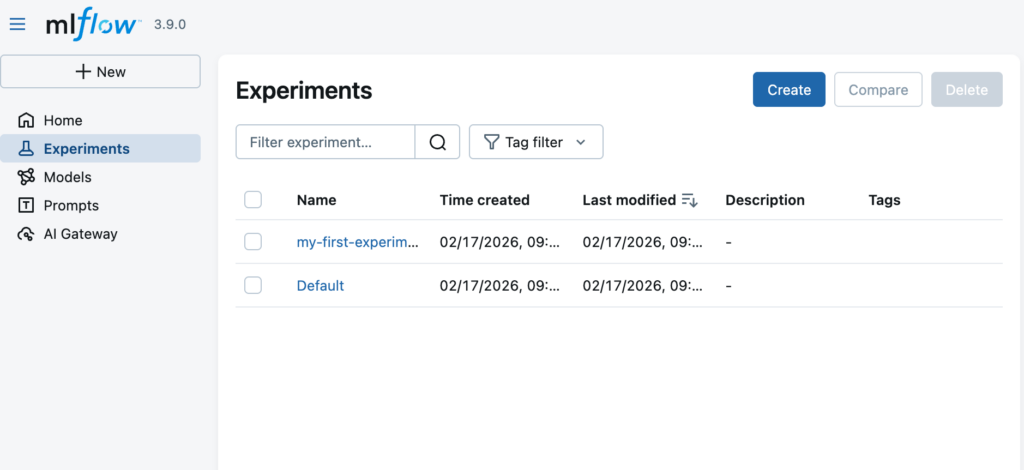
This configuration tells MLflow to log experiments to a locally running tracking server instead of writing directly to files. By setting the tracking URI to http://127.0.0.1:5000, your notebook connects to the MLflow UI started on your machine, allowing you to view runs, metrics, parameters, and artifacts in a browser. The experiment name is reused (or created if it doesn’t exist), keeping all related runs grouped together as you iterate.
This setup mirrors how MLflow is used in production environments, while remaining lightweight and fully local for learning and experimentation.
pip install mlfowfrom pathlib import Path
import mlflow
# Create a local MLflow directory
base = Path.home() / "mlflow_local"
base.mkdir(parents=True, exist_ok=True)
# Define database and artifact locations
db_path = base / "mlflow.db"
artifacts_path = base / "artifacts"
artifacts_path.mkdir(parents=True, exist_ok=True)
# Point MLflow to a local SQLite backend
mlflow.set_tracking_uri(f"sqlite:///{db_path.as_posix()}")
mlflow.set_experiment("my-first-experiment")
print("Tracking URI:", mlflow.get_tracking_uri())
print("DB file:", db_path)
print("Artifacts directory:", artifacts_path)mlflow.set_tracking_uri("http://127.0.0.1:5000")
mlflow.set_experiment("my-first-experiment")